
Running STUNner as a Public TURN Server, Part 2
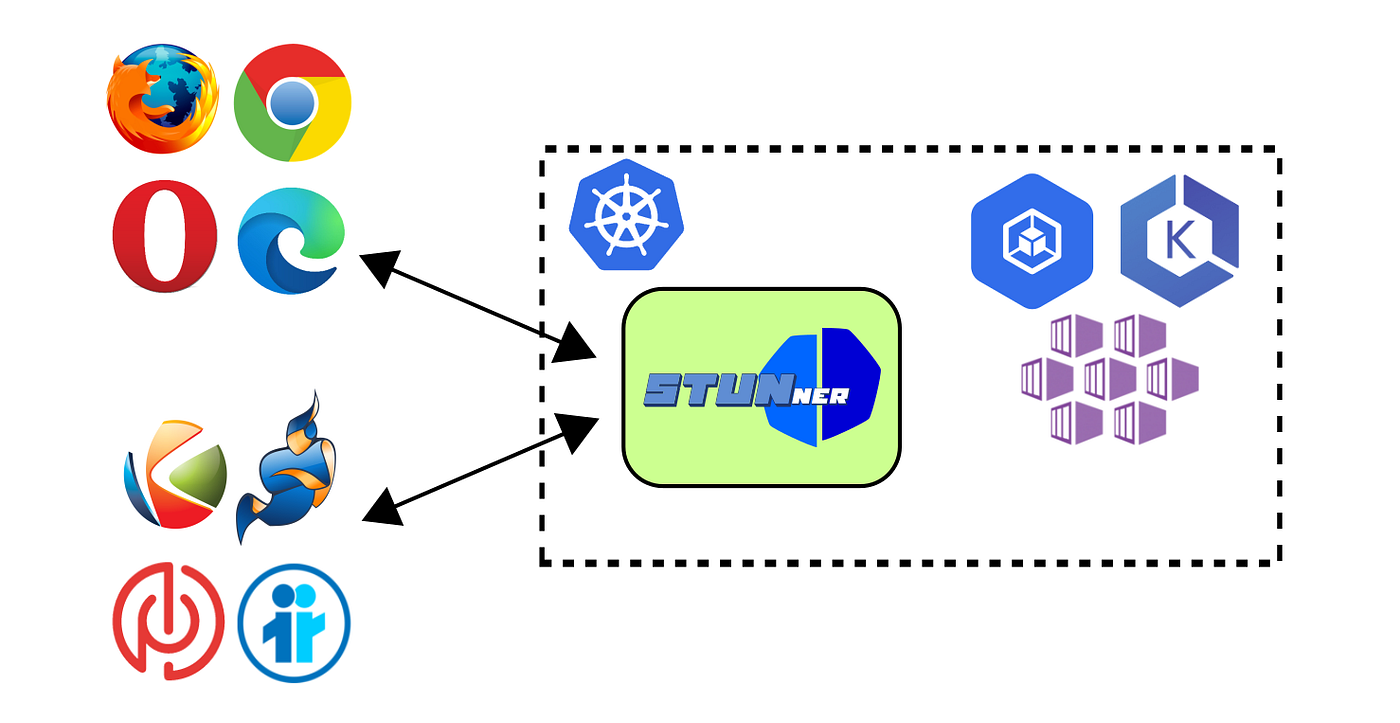 STUNner as a cloud-native public TURN server providing NAT traversal to WebRTC clients and servers.
Back in Part 1, we showed how to deploy STUNner as a public TURN server in Kubernetes. This is somewhat of a departure from the primary deployment model, running STUNner as a Kubernetes media gateway to ingest WebRTC media traffic into a Kubernetes cluster. Yet, many users choose STUNner as a modern alternative to legacy TURN service options. We covered the basics in Part 1: enabling hostNetwork: true to let TURN servers bind directly to node IPs, configuring authentication, and exposing your TURN service to the world. That setup works, but it was just the beginning.
We have recently released STUNner’s premium tiers (Member and Enterprise), which include features specifically designed to make public TURN server deployments production-ready, scalable, and performant. If you’re serious about running your own TURN infrastructure at scale, STUNner’s premium feature set isn’t just nice to have; it’s indispensable. In this second installment of the series we describe the relevant STUNner premium features briefly and provide some hands-on. For details, consider the premium feature documentation.
Quick Recap: The Basics
Before we dive into the details, let’s quickly revisit the foundation from Part 1. Running STUNner as a public TURN server requires one critical setting:
apiVersion: stunner.l7mp.io/v1
kind: Dataplane
metadata:
  name: default
spec:
  …
  hostNetwork: true
The hostNetwork: true setting deploys STUNner pods directly into the host network namespace of your Kubernetes nodes, giving them access to the node’s public IP address. Without this, your TURN server would be hidden behind Kubernetes’ private pod network. This is perfectly fine for ingesting WebRTC media into the cluster (which is, recall, STUNner’s main purpose). However, for a public TURN server we want to deploy something that is, well, public, and hostNetwork: true let’s us do just that.
This is, however, still not enough for an enterprise-grade TURN service. STUNner’s premium features add the remaining plumbing necessary to self-host a secure, high-performance and scalable public TURN service.
Before moving on, make sure you have an active STUNner license. If in doubt, you can always check your subscription tier using the handy stunnerctl tool:
$ stunnerctl license
License status:
 Subscription type: member
 Enabled features: DaemonSet, STUNServer, …
 Last updated: …
Premium Feature #1: DaemonSet deployment mode (Member Tier)
When you deploy into the host network namespace using a standard Deployment, Kubernetes might schedule multiple STUNner pods on the same node. The result? Port conflicts, failed pods, and a broken TURN service. Traditional approaches to scaling public TURN servers in Kubernetes rely on manual workarounds, like anti-affinity rules, carefully tuned replica counts, and constant monitoring to avoid port clashes. Every time you scale your cluster, you have to adjust your TURN deployment manually.
STUNner’s DaemonSet deployment mode ensures that at any instance of time exactly one STUNner pod runs on each Kubernetes node. Added a node? You get a new TURN server pod. Remove a node? The TURN server goes with it. It’s the modern, cloud-native way to run network services. The result? No port clashes, predictable scaling, and full utilization of your cluster.
You can trigger the DaemonSet mode by setting dataplaneResource: DaemonSet in the Dataplane resource. The Dataplane resource is then used by STUNner as a template to deploy the TURN server pods into a Kubernetes DaemonSet.
apiVersion: stunner.l7mp.io/v1
kind: Dataplane
metadata:
  name: default
spec:
  dataplaneResource: DaemonSet
  hostNetwork: true
Just two lines of configuration, and STUNner automatically re-deploys your entire fleet of TURN servers across all nodes, while making sure no port clashes can occur.
Verify the deployment (assuming your STUNner deployment runs in the stunner namespace):
$ kubectl get daemonset -n stunner
$ kubectl get pods -n stunner -o wide
You’ll see exactly one STUNner pod per node, each bound to its node’s public IP. STUNner will expose your entire TURN server pool over a LoadBalancer Service on a single public IP, distributing TURN allocations uniformly over the nodes and minimizing load imbalance.
Premium Feature #2: User Quota (Member Tier)
Public TURN servers are expensive to run. Unfortunately, by design of the WebRTC JavaScript API TURN credentials are exposed in plain text clients. A malicious client can grab a valid credential and launch a DoS attack by creating thousands of TURN allocations, exhausting your precious server resources before the credential expires.
STUNner’s user quotas let you set a hard limit on the number of simultaneous TURN allocations per credential. Once the quota is reached, STUNner rejects additional allocation requests with a 486: Allocation Quota Exceeded error. Without user quotas, a single compromised credential (or even a buggy client) can bring down your entire service. User quotas are your first line of defense against resource exhaustion attacks.
User quotas can be set per GatewayClass in the GatewayConfig resource spec:
apiVersion: stunner.l7mp.io/v1
kind: GatewayConfig
metadata:
  name: stunner-gatewayconfig
spec:
  authType: ephemeral
  sharedSecret: <your-shared-secret>
  userQuota: 10
This limits each user to 10 simultaneous allocations. Adjust based on your use case: video conferencing might need 2–4 allocations per user, while P2P file sharing might need more.
Check the configured quota:
$ stunnerctl -n stunner config <gateway-name> -o jsonpath=’{.admin.user_quota}’Important: Quotas are per-dataplane-pod. If you’re running 5 nodes with DaemonSet mode, your effective quota is 5× the configured value. Plan accordingly.
Premium Feature #3: Relay Address Discovery (Member Tier)
Public TURN servers require at least one public IP server to assign relay addresses for clients, plus usually another one that clients can use as a TURN URI address; luckily we get that for free from Kubernetes LoadBalancer Services created by STUNner automatically per gateway.
By default, STUNner advertises the pod’s internal IP as the relay address. That works fine when both TURN clients and media peers are inside the same Kubernetes cluster. But for a public TURN server, clients need a public IP. Traditional TURN servers often require manual configuration to set one. In cloud-native services IP address allocation is automatic, but this has the unfortunate consequence that Kubernetes pods often end up configured with a private IP address. If the relay address is private, peers can’t send media to via the TURN server, which effectively blocks WebRTC communication.
Enabling the relay address discovery feature lets STUNner automatically detect and advertise the node’s public IP address as the TURN relay address. Clients get the right address from the start, with no manual configuration required. The result? ICE negotiation completes successfully, and media flows seamlessly. Relay address discovery makes your TURN infrastructure cloud-native, adapting automatically to your cluster’s topology.
First, ensure the DaemonSet and host-network mode are both enabled. Then annotate your Gateway to enable relay address discovery on the gateway:
$ kubectl annotate --overwrite gateway <your-gateway-name> \
   stunner.l7mp.io/enable-relay-address-discovery=”true”
Verify it’s working:
$ stunnerctl -n <namespace> status <gateway-name>Look for the relay addresses in the output: node-ip-addr marks that the pod has successfully loaded the node’s public IP. If still unsure, use an ICE test tool to make check relay address discovery works as expected.
Premium Feature #4: TURN Offload (Enterprise Tier)
Traditional TURN servers process every packet in user space. For each packet, the kernel copies data from the network interface to kernel memory, then to the user space where the TURN server processes it, then back into kernel memory, and finally out to the network link. At the scale of a public TURN server, this easily becomes a performance bottleneck and needlessly consumes precious CPU resources.
TURN offload leverages the Linux eBPF/XDP (extended Berkeley Packet Filter, eXpress Data Path) and eBPF/TC frameworks to process UDP TURN packets directly in the kernel, bypassing most of the user space overhead. Thanks for TURN offload, STUNner can achieve 100× reduction in CPU usage and handle >100 Gbps of TURN traffic from a single server. This isn’t a marginal improvement, it’s a fundamental shift in what’s possible. If you’re running a large-scale WebRTC deployment (thousands of concurrent users, live streaming, multiplayer gaming), TURN offload is what separates a functional service from a performant one.
How this works? eBPF allows running custom programs directly in the Linux kernel, hooking into the network driver at the earliest possible point, right after a packet arrives at the NIC and before kernel networking stack processing commences. STUNner’s eBPF programs handle the TURN protocol logic (allocation management, permission checks, packet relaying) entirely in kernel space. Only control plane operations (new allocations, authentication) involve the user space server. The result? Microseconds of latency instead of milliseconds, and CPU usage that barely registers. See our paper for the details.
Enable STUNner’s kernel offload feature via the Dataplane resource: * Set offloadEngine: Auto to let STUNner choose the best mode (XDP if supported, otherwise TC/eBPF). * Set the capabilities field to grant elevated privileges needed to load eBPF programs
Below is an example:
apiVersion: stunner.l7mp.io/v1
kind: Dataplane
metadata:
  name: default
spec:
  dataplaneResource: DaemonSet
  hostNetwork: true
  offloadEngine: Auto
  containerSecurityContext:
    capabilities:
      add:
      - NET_ADMIN
      - SYS_ADMIN
      - SYS_MODULE
Verify offload is active:
$ stunnerctl -n <namespace> status <gateway-name>Look for offload statistics in the listener section:
listeners:
 <listener-name>: {…}, offload(rx/tx): 1152/345 pkts 168192/19834 bytes
Conclusions
STUNner was designed from the ground up to make WebRTC in Kubernetes actually work. The free tier of STUNner is perfect for development, testing, and small-scale deployments. But if you’re running a production WebRTC service, especially one with public-facing TURN servers accessible from the Internet serving thousands of concurrent users requiring NAT traversal, then STUNner’s premium tiers aren’t optional. Kernel offload, in addition, is an absolute must to serve high-throughput WebRTC use cases, like live streaming, real-time cloud gaming, and large-scale conferencing. See here for more information on STUNner premium tiers and pricing.
The era of depending on third-party TURN services is over. With STUNner’s premium tiers, you can own your WebRTC infrastructure, control your costs, and scale to any size, all while staying firmly within the Kubernetes ecosystem. Ready to upgrade? Check out the premium tiers documentation and see what STUNner can really do. For more information about STUNner and to subscribe to premium tiers, visit l7mp.io or check out the GitHub repository. Questions? Reach out to info@l7mp.io.